The bin/edu command
We have set up a command to make tasks easier. This command is called "edu". You can use it at the root of your project by typing the following command:
Command example
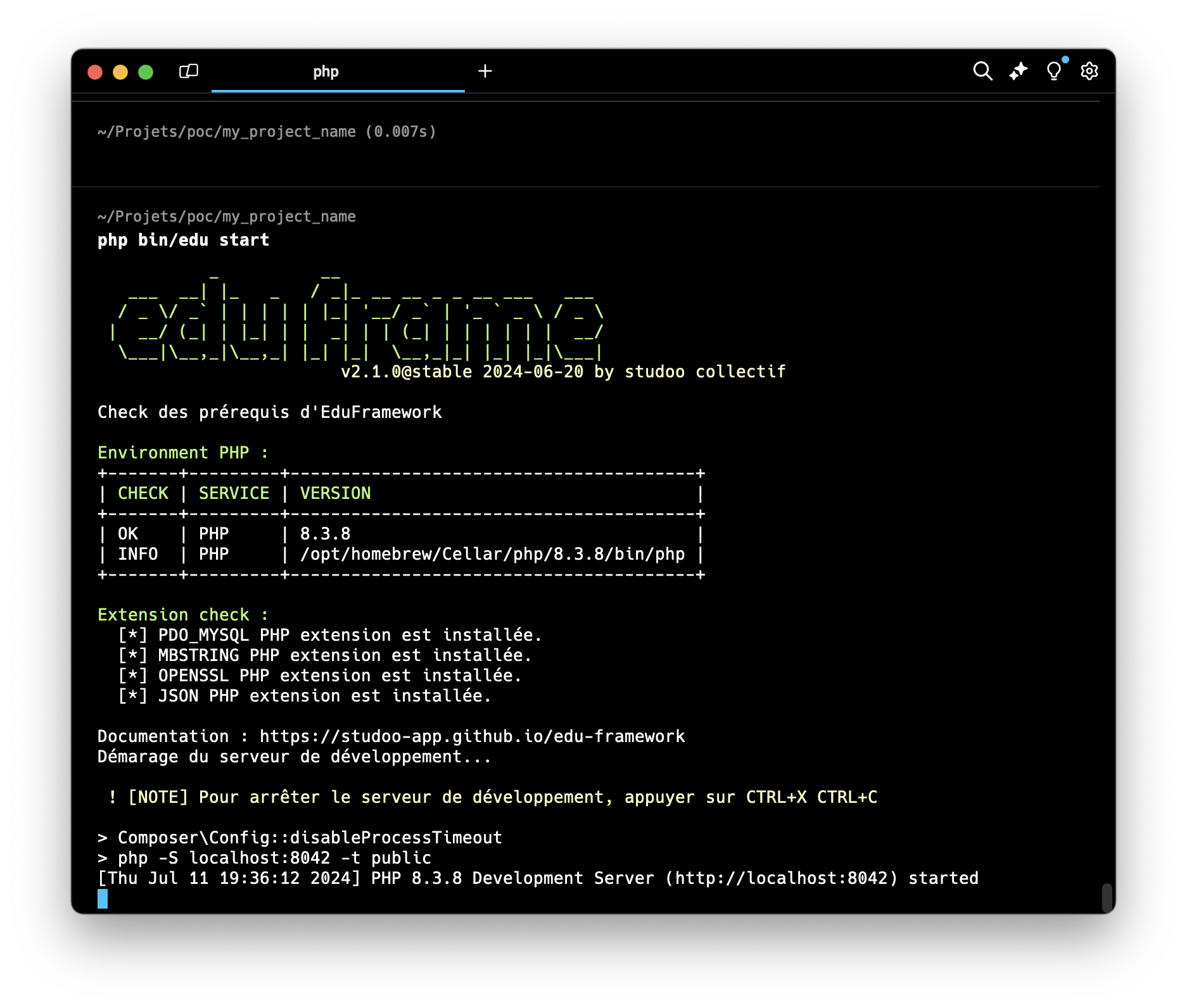
Here is an example: to start the application, you can type the following command
This output is an example and will probably not be exactly yours.
To see the available commands, you can type the following command:
Here are the available commands by version:
| Components | Description | Since version |
|---|---|---|
| start | starts the application | v1.2 |
| list | lists the available commands | v1.2 |
| check:config | checks the configuration of your environment | v1.2 |
| make:controller | generates a controller | v1.0 |
| make:api | generates a JSON API controller | v2.0 |
| make:command | generates a command line | v2.0 |
| make:entity | generates an entity and its repository | v2.5.0 |
| cache:clear | deletes the application cache | v2.4.0 |
| make:deploy | generates the deployment configuration | v2.9.0 |
| routes:list | lists the application routes | v2.12.0 |
Going further
You can read the page Building an API for more details on the make:api command.
The options of the start command
The start command accepts options to adapt the startup to your needs (since version v2.3.0):
| Option | Description |
|---|---|
-p or --port |
Changes the listening port of the development server (default: 8042) |
--no-start |
Checks the prerequisites of your environment without starting the server |
Going further
You can read the page Start/Stop the application for more details on the start command.
The cache:clear command
Twig templates are compiled and then cached in the var/cache/twig folder (since version v2.4.0).
To delete the application cache, you can type the following command:
| Item | Detail |
|---|---|
| Folder concerned | var/cache (configurable via the cache_path key) |
| Content deleted | all the content of the folder (Example: the TWIG cache) |
| The folder itself | kept |
If the var/cache folder does not exist, a message tells you that there is no cache to delete.
Automatic recompilation
Modified templates are automatically recompiled (Twig auto_reload option).
The cache:clear command is still useful to start again from a clean cache, for example after a deployment.
The routes:list command
The routes:list command displays the routes declared in the app/Config/routes.yaml file, in file order:
 --------- ------------------------- -------------------------------------- ----------------
  Méthode   URI                       Contrôleur                             Nom
 --------- ------------------------- -------------------------------------- ----------------
  GET       /                         Controller\HomeController              index
  GET       /user/{id}                Controller\UserController              user
  POST      /user/{id}                Controller\UserController              user
  GET       /medecin                  Controller\MedecinController::index    medecin
 --------- ------------------------- -------------------------------------- ----------------
| Column | Detail |
|---|---|
| Méthode (method) | one row per HTTP method: a [GET, POST] route takes two rows |
| URI | the URI as written in routes.yaml (Example: /user/{id:\d+}[/{name}]) |
| Contrôleur (controller) | the called controller, with its method if any (::index) |
| Nom (name) | the route name (key of the routes.yaml file), used by getNameToPath() |
The --method (or -m) option only displays the routes of one HTTP method: php bin/edu routes:list --method=POST.
A badly described route in routes.yaml is reported with the same error message as when a page is loaded.
Internal routes
The debug bar routes (/_debug/profiler, /edu-logs…), added only in dev mode, are not listed.
The make:deploy command
The make:deploy command generates the frankendeploy.yaml file, which describes how to deploy the application to a Debian or Ubuntu server with FrankenDeploy (since version v2.9.0):
Going further
You can read the page Deploying your application for the details of the deployment options and steps.
The make:entity command
The make:entity command generates the two model files for a table in your database (since version v2.5.0):
app/Entity/Ville.php: the entity, the logical representation of a table as a classapp/Repository/VilleRepository.php: the repository, which groups all the operations on the table
The command then asks for the fields of the table one by one: the field name (an empty value ends the input) and then its type (string, int, float, bool, string by default).
You can also pass the fields directly with the --fields option:
What the command generates
The entity has an id identifier (integer), a constructor that hydrates all the fields, getters and fluent setters:
class Ville
{
    private int $id;
    private string $nom;
    // ...

    public function __construct(int $id, string $nom, string $code_postal, int $nombre_habitant) { /* ... */ }

    public function getId(): int { /* ... */ }
    public function getNom(): string { /* ... */ }
    public function setNom(string $nom): self { /* ... */ return $this; }
    // ...
}
No setId()
There is no setter for the identifier: it is the database that assigns it (auto-increment). To create an entity, use the identifier 0: new Ville(0, 'Paris', '75000', 2200000).
The repository has the read method getVilles(): the SELECT * FROM ville query and the hydration of the entity are already written.
The table must exist
The command generates the PHP code, but does not create the table in the database. You must create the table beforehand (see the database schema).
If the entity or the repository already exists, an EntityAlreadyExistsException exception is thrown.
If you run into an error
Command not found
If you get an error when using the "edu" command, you can install it with the following commands:
To install the "edu" command, follow the instructions:
Open a git bash terminal at the root of your project
mkdir bin && curl -o bin/edu https://raw.githubusercontent.com/studoo-app/edu-framework/main/bin/edu
curl: (35)
If you get the error curl: (35) schannel: next InitializeSecurityContext failed: Unknown error (0x80092012) - The revocation function was unable to check revocation for the certificate.
Type the following command: