How to create a controller?
Reminder: what is a controller?
A controller is the intermediary between the model and the view. It handles user events, performs the necessary processing and coordinates updates between the model and the view.
Creating a controller couldn't be simpler: the "edu" command is there to help you.
You can use it at the root of your project by typing the following command:
Don't forget to replace "NOM_DU_CONTROLLER" with the name of your controller.
Example: creating a controller
We are going to create a "Hello" page with the following command:
The command will generate a "HelloController.php" controller in the "app/Controller" folder and a "hello.html.twig" file in the "app/Template/hello" folder. Here is the tree of the generated files:
├── app
│   ├── Config
│   │   └── routes.yaml
│   ├── Controller
│   │   └── HelloController.php
│   └── Template
│       ├── base.html.twig
│       └── hello
│           └── hello.html.twig
The HelloController.php file
This command will create a "HelloController.php" file in the "app/Controller" folder.
<?php

namespace Controller;

use Studoo\EduFramework\Core\Controller\ControllerInterface;
use Studoo\EduFramework\Core\Controller\Request;
use Studoo\EduFramework\Core\View\TwigCore;
use Twig\Error\LoaderError;
use Twig\Error\RuntimeError;
use Twig\Error\SyntaxError;

class HelloController implements ControllerInterface
{
    public function execute(Request $request): string|null
    {
        return TwigCore::getEnvironment()->render('hello/hello.html.twig',
            [
                "titre"   => 'HelloController',
                "request" => $request
            ]
        );
    }
}
We can see that the HelloController controller implements the ControllerInterface interface.
The execute() method takes an object of type Request as a parameter and returns a character string (string) or null.
The view layer is handled by the Twig template engine. We use the render() method of the TwigCore class to display the "hello/hello.html.twig" template.
Two variables are passed to the template: "titre" and "request".
Info
To go further, you can read the documentation of the Request class to understand how to handle HTTP requests.
The hello.html.twig file
It will also create a "hello.html.twig" file in the "app/Template/hello" folder.
{% extends "base.html.twig" %}

{% block title %}{{ titre }}{% endblock %}

{% block content %}
    <h1>{{ titre }}</h1>
{% endblock %}
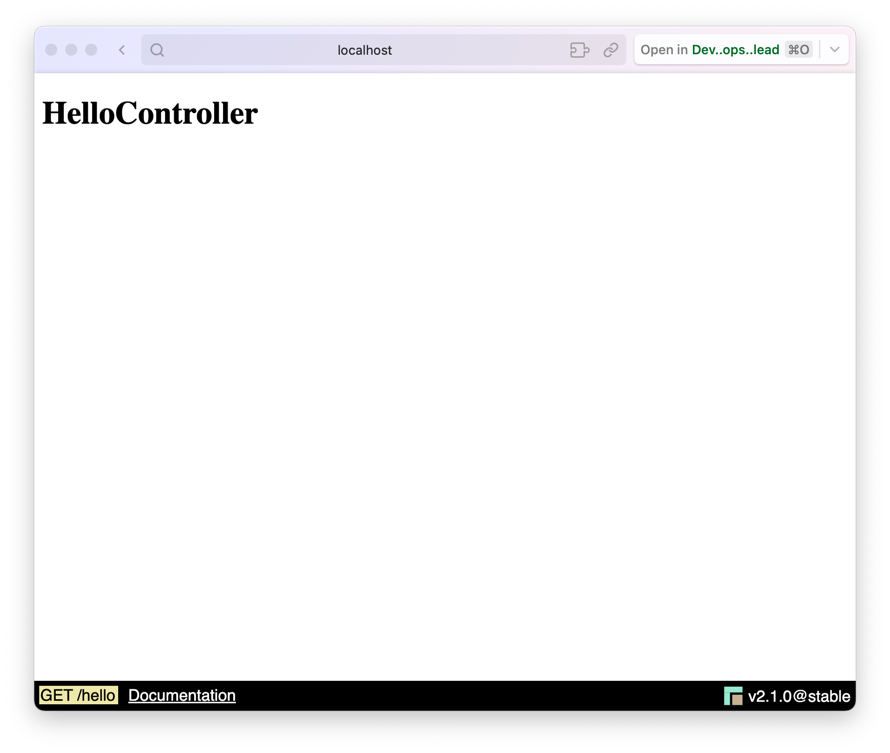
In the "hello.html.twig" view, the page title "HelloController" is displayed in an h1. A {{ titre }} variable is passed to the template by the controller.
You can access your controller by typing the following URL: http://localhost:8042/hello
Editing the routes file
Then edit the routes file "app/Config/routes.yaml" to add the route for your controller.
The three keys of a route
Each route must define uri, controller and httpMethod. The httpMethod key contains one HTTP method
(httpMethod: GET) or a list of methods ([GET, POST]), written in uppercase: a [get] route
does not respond to a GET request (405 error).
If a key is missing, the error page displays, in development mode (APP_ENV=dev), a message naming
the route: La route <hello> du fichier routes.yaml est invalide : la clé 'controller' est absente…
You can access your controller by typing the following URL: http://localhost:8042/hello
You can edit the routes file "app/Config/routes.yaml" to change the URL of your controller. Replace "/hello" with "/bonjour", for example.
You can access your controller by typing the following URL: http://localhost:8042/bonjourIf we go back to the URL http://localhost:8042/hello, an HTTP 404 error will be returned.
As a reminder, the `HTTP 404 error means that the requested resource (route) does not exist or no longer exists.
One controller, several routes (several methods)
Until now, a route was associated with a controller that had a single execute() method.
You can group several routes in the same controller, each one pointing to a different method.
This feature is available from version v2.4.0 onwards.
To do this, add the name of the method to call after the controller name, separated by ::, in the "app/Config/routes.yaml" file:
medecin:
  uri: /medecin
  controller: Controller\MedecinController::index
  httpMethod: [GET]
medecin_new:
  uri: /medecin/new
  controller: Controller\MedecinController::new
  httpMethod: [GET, POST]
The /medecin route calls the index() method and the /medecin/new route calls the new() method of the MedecinController controller:
<?php

namespace Controller;

use Studoo\EduFramework\Core\Controller\Request;
use Studoo\EduFramework\Core\View\TwigCore;

class MedecinController
{
    public function index(Request $request): string|null
    {
        return TwigCore::getEnvironment()->render('medecin/index.html.twig',
            [
                "titre"   => 'List of doctors',
                "request" => $request
            ]
        );
    }

    public function new(Request $request): string|null
    {
        return TwigCore::getEnvironment()->render('medecin/new.html.twig',
            [
                "titre"   => 'Create a doctor',
                "request" => $request
            ]
        );
    }
}
Is the new() method valid?
new is a reserved word in the PHP language, but it has been allowed as a method name since PHP 7.
The rules to follow
A method called by a route must:
- be public and non-static,
- have a parameter of type Request,
- return a character string (
string) ornull.
If one of these rules is not followed, an ErrorControllerException exception is thrown with an explicit message.
What about the ControllerInterface interface?
- Without an explicit method (
Controller\MedecinController), the controller must still implement theControllerInterfaceinterface, and itsexecute()method is the one called. This behavior is unchanged: all your existing routes keep working. - With an explicit method (
Controller\MedecinController::index), the interface is no longer required: the framework checks the called method directly.
Diagram to better understand how it works
flowchart TD
    A(["Browser<br/>GET /hello"]) --> B{"FastRouteCore<br/>reads routes.yaml"}
    B -->|"Route hello found"| C["HelloController::execute(request)"]
    B -->|"Unknown route"| ERR["HTTP 404 error"]
    C --> D["TwigCore::render('hello/hello.html.twig')<br/>variables: titre, request"]
    D -->|"HTML response"| A